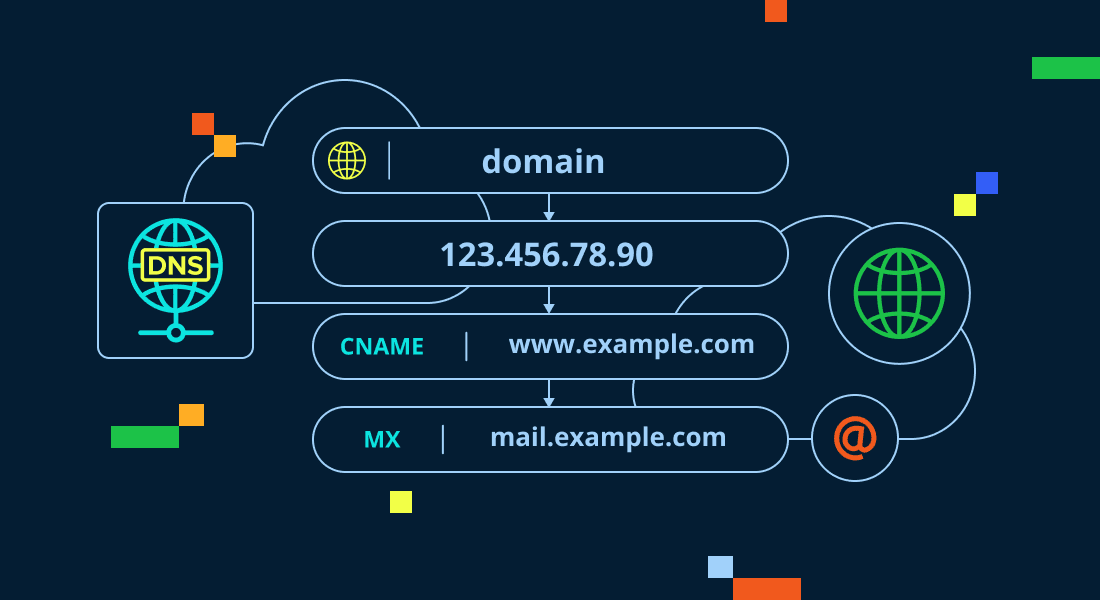
What Is DNS Record Setup?

    A simple explanation of pointing your domain name toward web hosting. Demystify the internet’s address book, decode A-records and CNAMEs, and establish a flawless connection between your registrar and server.

    The Internet's Switchboard: Why DNS Configuration is the Bridge to Your Digital Presence

    For growing retail founders, digital brand managers, and marketing leads, purchasing a custom domain and securing high-performance hosting are two exciting milestones. However, simply buying these assets does not make your website live. A common point of confusion is bridging the gap between them. At TY ALPHA, TECHNOLOGY, we know that configuring your Domain Name System (DNS) is the critical process that translates your human-readable web address (like yourbrand.com) into a machine-readable IP address, ensuring your visitors are routed to the correct server.

    Think of the DNS as the global phone book of the internet. Computers and web servers do not understand letters or words; they communicate entirely using long strings of numbers called IP addresses (such as 192.0.2.1). When a customer types your domain name into their browser, a DNS query runs in the background. The browser asks the global registry for the specific IP address linked to that name, retrieves the correct location, and loads your website. Setting up your DNS records simply means updating this public phone book with your host's IP address, ensuring that anyone looking for your brand is directed straight to your server.

    But setting up a secure and fast connection involves more than just copying numbers. To prevent latency, email delivery failures, or security breaches, your technical team must understand the roles of different record types, configure dynamic subdomains, and verify Mail Exchange (MX) records.

    What Is DNS Record Setup and Routing by TY ALPHA TECHNOLOGY

    The Five Key DNS Records Every Business Must Know

    To point your custom domain name toward your web hosting and secure your email delivery, you must configure these five essential DNS records:

    • A Record (Address Record): The primary record that maps your root domain name (e.g., yourbrand.com) directly to your web server's physical IPv4 address.
    • CNAME Record (Canonical Name): An alias record that points one domain name to another. It is most commonly used to redirect the "www" subdomain (www.yourbrand.com) to your root domain.
    • MX Records (Mail Exchanger): Critical routing records that direct your domain's incoming emails to your professional email provider (like Google Workspace or Microsoft 365).
    • TXT Record (Text Record): A flexible text record used to verify domain ownership and configure security protocols like SPF, DKIM, and DMARC to prevent spam and email spoofing.
    • NS Records (Name Servers): Records that identify which DNS provider is responsible for managing and publishing your domain's active DNS zone.

    The Structured Routing Advantage: Keeping Your Services Clean and Isolated

    The primary business benefit of a clean DNS setup is the complete flexibility to host your web services with different specialized providers. For example, you can host your marketing landing pages on a fast static host, run your checkout systems on a secure e-commerce cloud, and manage your corporate emails through Google Workspace—all under the exact same domain name.

    This structured separation keeps your business operations agile. If you decide to change your web hosting provider later, you only need to update your A Record. Your corporate emails, staging sites, and external integrations will continue running without any interruption. At TY ALPHA, TECHNOLOGY, we guide growing brands to implement secure, high-speed DNS configurations, ensuring their online ecosystems remain organized and ready to scale.


    The DNS Record Matrix: Quick Reference for Common Configs

    This structured matrix outlines the primary functions, typical values, and real-world purposes of the most common DNS records:

    Record Type Host Name / Name Typical Value / Destination Real-World Purpose
    A Record `@` (or root) `192.0.2.1` (Your Host IP) Connects your main domain name directly to your physical web server.
    CNAME `www` `yourbrand.com` Ensures visitors typing "www.yourbrand.com" are redirected to your main root domain.
    MX Record `@` (or root) `ASPMX.L.GOOGLE.COM` Routes your incoming corporate emails to your secure email host.
    TXT Record `@` `v=spf1 include:_spf.google.com ~all` Verifies domain ownership and secures your outgoing emails against spam filters.

    Refining the Connection: Why DNS Security and Speed Matter

    A common trap for new brands is leaving their DNS settings on slow, default nameservers provided by basic domain registrars. While these default servers work, they often resolve queries slowly, adding unnecessary milliseconds of lag (latency) to your site's load times. Additionally, unoptimized DNS setups are vulnerable to hijacking attacks, where bad actors redirect your domain to malicious pages.

    To keep your digital presence fast and secure, your team should use high-performance DNS managers (like Cloudflare). A fast DNS network reduces resolution times globally, ensuring your website loads quickly for visitors everywhere. By combining secure DNS setups with a high-performance hosting platform, you protect your brand's reputation, keep your email systems secure, and deliver a seamless browsing experience.


    Pointing Your Domain to Your Web Host: A 6-Step Setup Guide

    To access your registrar settings, configure your core records, and point your domain to your new web server with zero downtime, follow these six steps:

    1. Retrieve Your Web Host's IP Address

    Log into your web hosting panel and copy the physical IPv4 address assigned to your account or server.

    2. Access Your Domain Registrar's DNS Manager

    Log into the registrar where you purchased your domain, locate your domain name, and open its DNS zone editor.

    3. Create or Edit the Primary A Record

    Set the host name to "@" (representing your root domain), paste your host's IP address into the value field, and save changes.

    4. Configure Your CNAME Record for WWWW

    Verify or add a CNAME record with "www" as the host, pointing it directly to your main root domain name.

    5. Input Your Corporate Mail (MX) Records

    If you use professional email, enter your email host's MX records to route incoming messages to your inbox.

    6. Monitor Global DNS Propagation

    Use online DNS lookup tools (like dnschecker.org) to track and verify that your new routing updates have spread globally.


    Ready to Build a Stable, Fast, and Secure Digital Foundation?

    Configuring your DNS records correctly is a vital operational milestone—it shields your web traffic from routing errors, protects your email deliverability, and establishes the essential structural foundation your business needs to grow.

    If your business requires a professional domain migration strategy, help managing a complex corporate DNS setup, or expert engineering support to build a fast online platform, we are ready to assist you. The development and engineering team at TY ALPHA, TECHNOLOGY specializes in keeping complex digital environments fast, stable, and highly secure, helping corporate leaders build robust, scalable web architectures designed for long-term growth.